Tipalti Accounts Payable
AI-powered AP automation software
built to scale
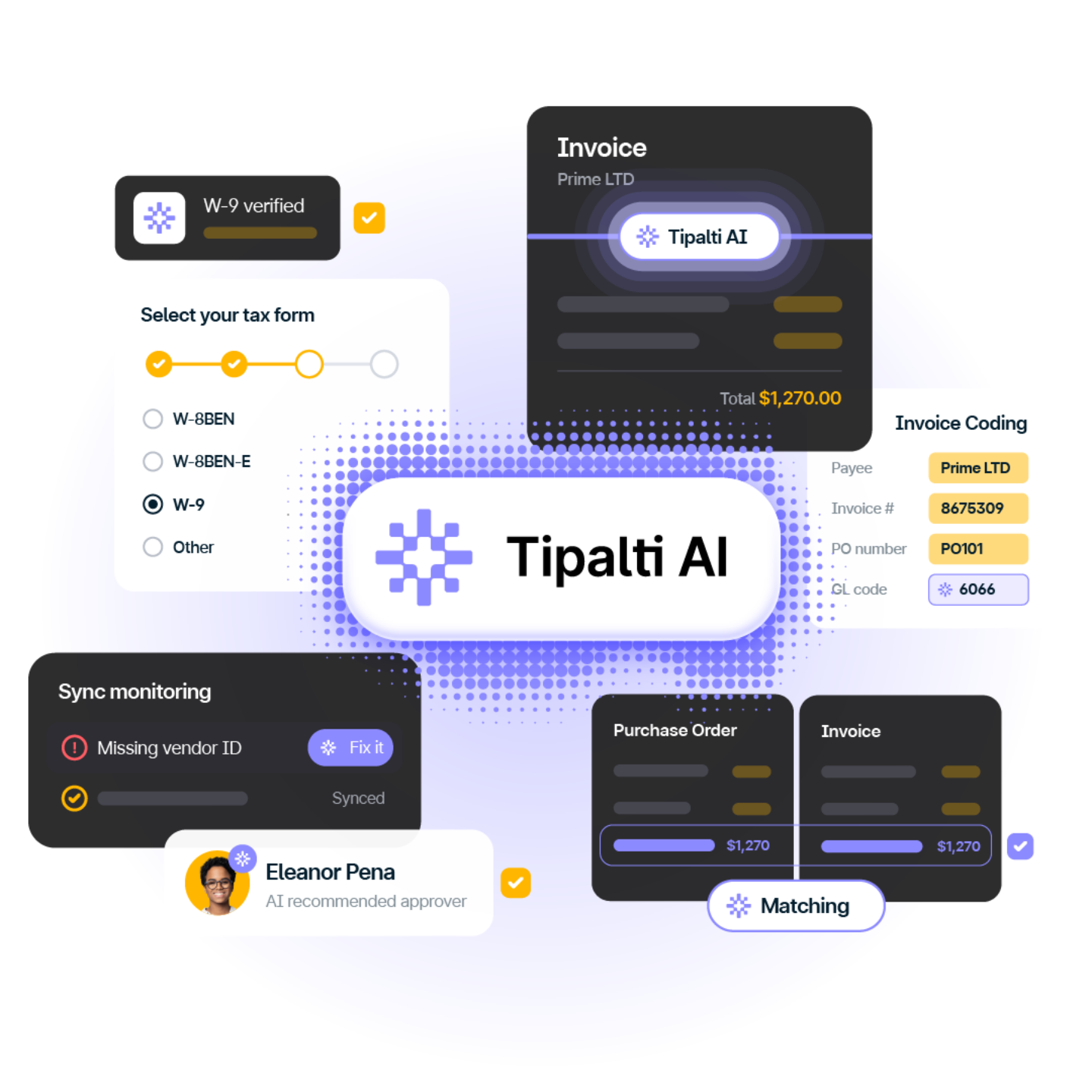
Tipalti automates accounts payable from supplier onboarding and invoice processing to approvals and global payments. AP Agent, specialized task agents, and an AI Assistant reduce manual work while keeping finance in control.

Rated 4.5/5
based on 350+ Reviews

Leader in the IDC 2026 Marketscape
Worldwide Accounts Payable Automation Software for Midmarket
Trusted by Mid-Market Leaders






































AP Agent
Meet the Tipalti AP Agent
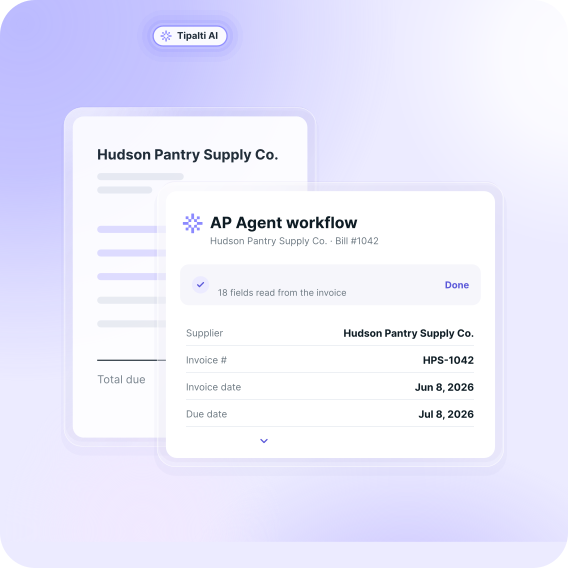
AP Agent runs your accounts payable workflows through review and approval, with you in control. It processes invoices using your vendor data, GL codes, and policies, with decisions you can review and refine.
AP Lifecycle
How AI automates accounts payable workflows
Tipalti AI agents capture and code invoices, match purchase orders, route approvals, and help resolve ERP sync issues. Your team sets the rules and keeps final say on approvals.
Supplier Onboarding
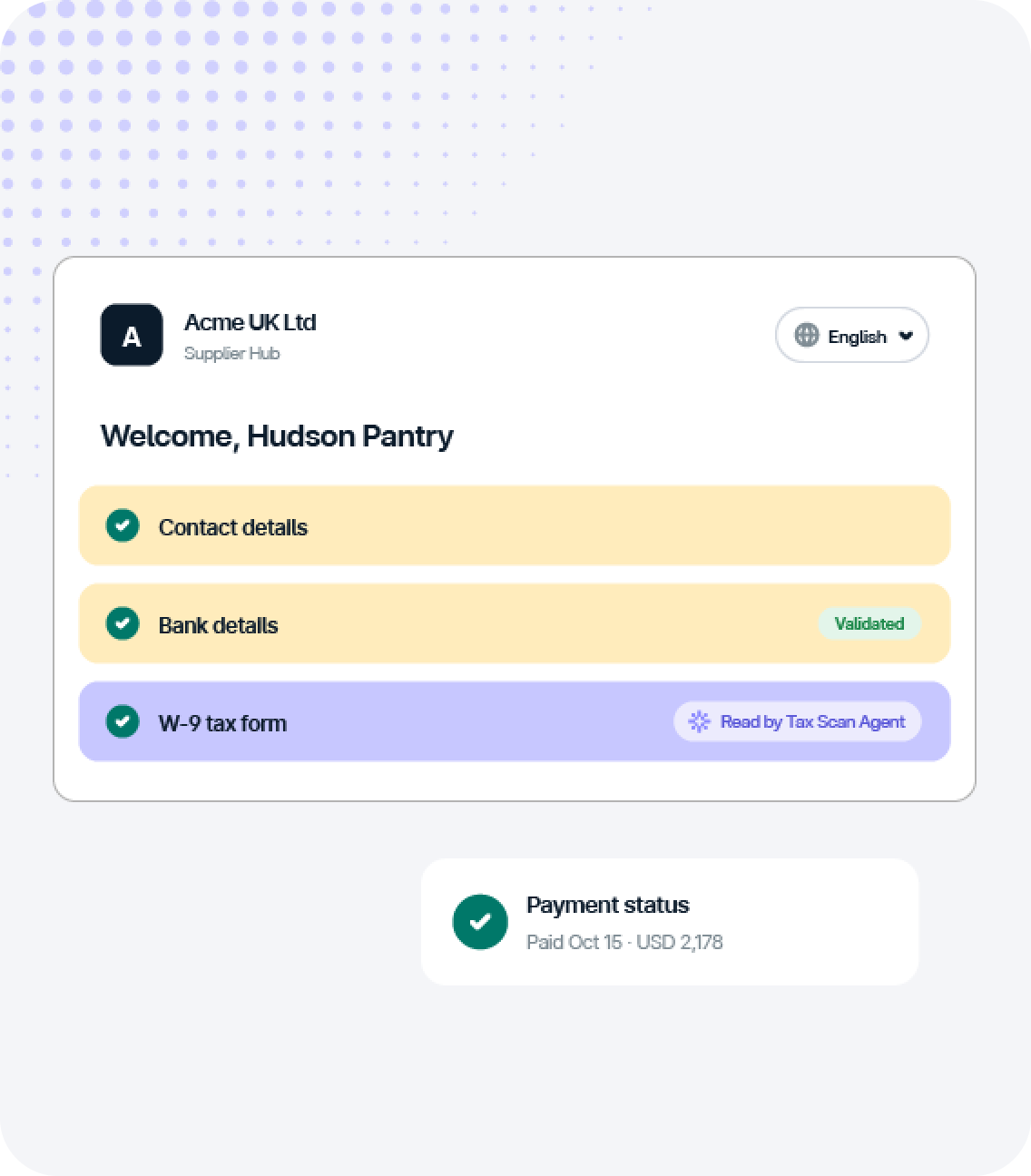
Suppliers onboard themselves
Suppliers can easily enter their contact, banking, and tax details in Tipalti’s Supplier Hub, reducing manual data entry for your AP team. Tax Scan Agent extracts data from uploaded W-9s to populate supplier records, and Tipalti validates bank details during onboarding to catch errors before payments are processed.
- Onboard suppliers in 27 languages
- Let suppliers track payment status
- Brand onboarding for each entity

Invoice Capture & Coding
Capture and code invoices
Go beyond basic optical character recognition (OCR) with AI-powered invoice data capture. The Invoice Capture Agent extracts invoice data at the header and line-item levels, including foreign currency amounts and VAT.
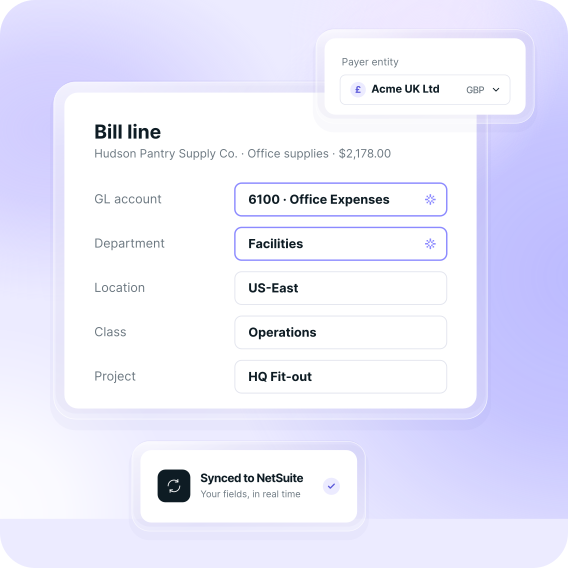
The Invoice Coding Agent assigns GL accounts and fields such as department, location, and tax code based on similar bills. Your team can review and edit the data.
- Capture invoices in 146 languages
- Accept Peppol e-invoices in supported European markets
- Accept invoices through Supplier Hub

PO Matching
Match bills to POs
Manual invoice matching takes time. The PO Matching Agent reads line descriptions in context, so a bill finds its PO match even when the wording differs.
Clean matches move on to approval. Anything outside your tolerance gets flagged for review, with the exception clearly highlighted.
- Support two- and three-way matching
- Set tolerance thresholds for your policy
- Color-code exceptions by size

Approvals
Route approvals automatically
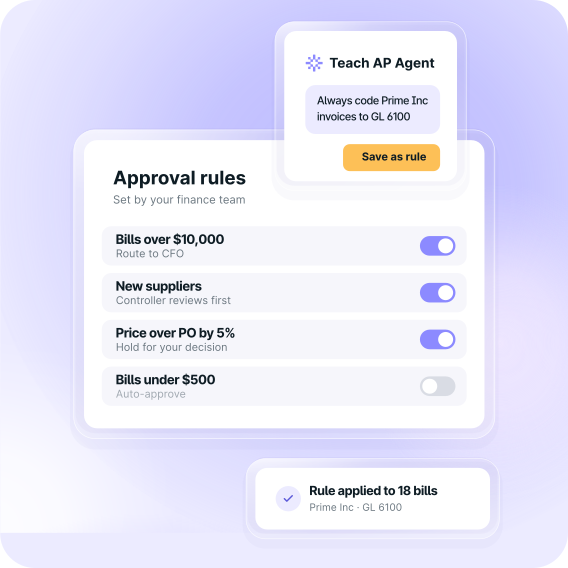
The Bill Approvers Agent uses AI and your predefined invoice approval workflows to route invoices to the right approvers. Your AP team can track approval status, and approvers can review and approve directly from email.
Comments on the bill keep questions and answers together, helping resolve approval delays that can lead to late payments.
- Set approval rules at the header or line-item level
- Approve from email, no login needed
- Add optional payment approvals

Global Payments
Pay suppliers worldwide
Process approved bills in a single payment run, whether suppliers are local or overseas. Make payments in 200+ countries and territories, 120 local currencies, and 50+ payment methods, with no separate bank portals.
Manage currency conversion and keep suppliers informed with automatic payment notifications.
- Convert currencies directly within Tipalti
- Fund from US, Canada, UK, and EU accounts
- Auto-notify suppliers when payments go out

Sync
Reconcile in your ERP
Keep payment data in sync with your ERP system to reduce error-prone manual reconciliation and close the books faster. Integrations connect AP activity with your accounting system, including ERP-specific fields.
When a record fails to sync, the ERP Sync Resolution Agent diagnoses the issue and guides your team to a solution.
- Sync payment data to ERP sub-ledgers
- Keep supported ERP fields aligned automatically
- Resolve sync issues with AI-guided fixes
Trust & Control
Trusted AI with you in control
Tipalti AI is embedded in your AP workflows, and every step it takes is visible, reviewable, and on the record for finance.

Human in the loop
Your team reviews AI recommendations and retains approval authority within your configured workflows and controls.

Reasoning in every field
See why AI populated each field, so your team can verify the recommendation or edit the value.

Full AI audit trail
Tipalti records AI actions, field values, data sources, and user overrides to support audit readiness.

Guided by compliance
Tipalti AI works within your configured policies and controls to support compliance across your AP workflows.
Scale Smarter
Built for the complexity of global AP
Manage global supplier payments, multi-currency AP, and complex tax and compliance requirements in one AP automation solution, so your finance team can grow with confidence.
Multi-entity management
Manage AP and global supplier payments in multiple currencies across subsidiaries. Get full visibility while keeping payables data separate by entity. Support each entity’s needs with tailored approval flows, payment methods, and tax onboarding.

Built-in tax compliance
Collect and validate W-9 and W-8 forms with KPMG-approved US tax compliance capabilities, plus supplier tax IDs across 62 countries. Simplify US year-end reporting with 1099 and 1042-S report preparation.

Financial compliance
Screen payments against sanctions lists and monitor for suspicious payee activity. Role-based permissions, configurable payment approvals, and audit trails help finance control access and oversee outgoing payments.

Proven impact delivered to our customers
Tipalti customers report faster closes, higher AP productivity, and more time for strategic work after replacing manual processes with AP automation.
Up to
80%
reduction in time spent
managing AP workflows
Up to
50%
faster month-end close
Redirect up to
50%
of AP team time to
higher-value work
Optimize your AP process to save time and money
*This result is based on a survey of Tipalti customers, including participants from Tipalti’s Customer Reference Program.
Customer Stories
Real finance teams, real results
Real results from finance teams that automated accounts payable with Tipalti, from less manual work to global payments at scale.

“One of the things we were looking for with Tipalti was its ability to scale with us. As we grow through acquisitions, we add new entities, two in the past 12 months, and Tipalti scales and onboards vendors quickly. We’re able to pay everybody without a lot of business disruption through the M&A process.”

“We've been able to use Tipalti’s currency conversion feature to move over $100 million over the last 5 or 6 years into the USD currency to pay our bills.”

“Tipalti houses everything, so approvers can easily check if something has been paid or is still pending. It’s a huge benefit for us. Tipalti has saved us significant time and reduced manual errors.”


“When we automated, we had an accounts payable person who was spending 40 hours a week doing accounts payable. Now that the system is automated, the accounts payable time is probably in the five to 10 hours per week arena.”
One platform for all your finance operations
Extend Tipalti Accounts Payable to procurement, cards, expenses, and treasury, so you manage more finance functions from one place as your business grows.
Procurement
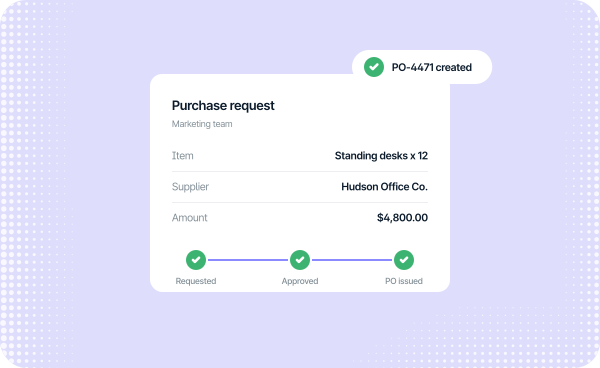
Tipalti Procurement adds intake, purchase requests, and PO approvals to AP, using the same supplier records.
Tipalti Card
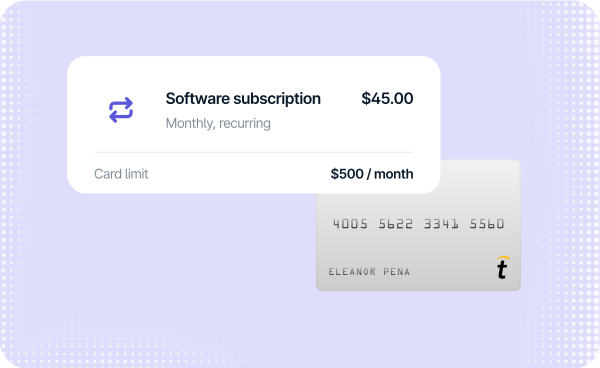
Use Tipalti Card for everyday expenses, online and recurring purchases, and card-backed invoice payments.
Expenses
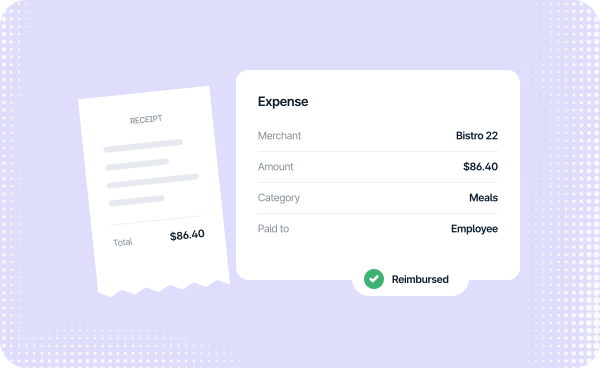
Manage employee spend and reimbursements in the same payment platform you use to pay suppliers.
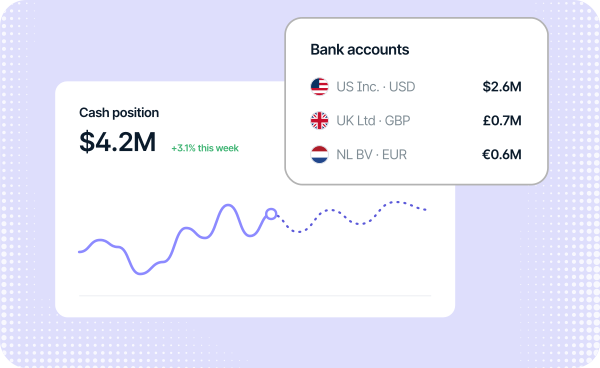
Treasury
Tipalti Treasury tracks real-time cash positions across bank accounts, helping you make smarter decisions.
Tipalti MCP
Bring live Tipalti data into your preferred AI
Use Tipalti MCP to enrich insights, build custom AI agents, and elevate finance workflows in the AI tools you already use, with your data secure and access controlled.

Put agentic AP automation to work
See how Tipalti combines AI-powered invoice processing, approval workflows, global supplier payments, and financial controls to reduce manual AP work.


Accounts Payable FAQs
Your questions about AP, answered
Get answers on how Tipalti’s AI works, what AP Agent covers today, and how Tipalti fits your ERP and entity structure.
What does Tipalti's AP Agent do?
AP Agent connects capture, coding, and approver routing into automated workflows for non-PO supplier invoices. It explains each field it fills in and flags bills that need attention. Your team reviews and approves every bill. PO-backed invoices continue through Tipalti’s existing matching workflows.
How is AP Agent different from the other Tipalti AI Agents?
Each of the Tipalti AI Agents handles one AP task: invoice capture, invoice coding, PO matching, approver routing, W-9 extraction, or ERP sync resolution. AP Agent connects several of those tasks for non-PO invoices into one workflow, so a bill moves through each step without AP passing it along until it reaches your approvers.
Does Tipalti's AI pay suppliers without human approval?
No. AP Agent’s launch scope ends at review and approval for non-PO invoices, and it doesn’t execute payments. Your payment process continues through Tipalti’s existing payment workflows, approval rules, and controls, so a person stays accountable for every payment that goes out.
Which ERPs does Tipalti's AP automation software integrate with?
Tipalti integrates with NetSuite, Sage Intacct, QuickBooks, Microsoft Dynamics, SAP, and Acumatica (US only). The integrations support ERP-specific features such as landed costs, drop shipping, and custom fields, so bills and payments land in your ERP the way your accountants already record them.
Can Tipalti run AP for multiple entities and countries in one account?
Yes. Tipalti Accounts Payable processes AP for multiple entities and subsidiaries from a single headquarters account, and you can add entities as the business grows or acquires companies. Payables data stays segregated by entity, users can be assigned to one entity or several, and each entity syncs to its own ERP sub-ledgers.
How can I estimate the ROI of AP automation software?
Start by identifying time-consuming tasks and approval bottlenecks across invoice entry, approvals, payment runs, and reconciliation. Calculate the hours involved and the cost of payment errors and late fees. Use Tipalti’s ROI calculator to estimate potential annual cost savings, then compare those savings with the total cost of an AP automation provider.
Resources
More ways to evaluate AP automation software
Start with these resources to compare AP software, see where AI fits, and build your business case.
